No Wi-Fi? No Problem.

Your Music.
Offline & Unbounded.

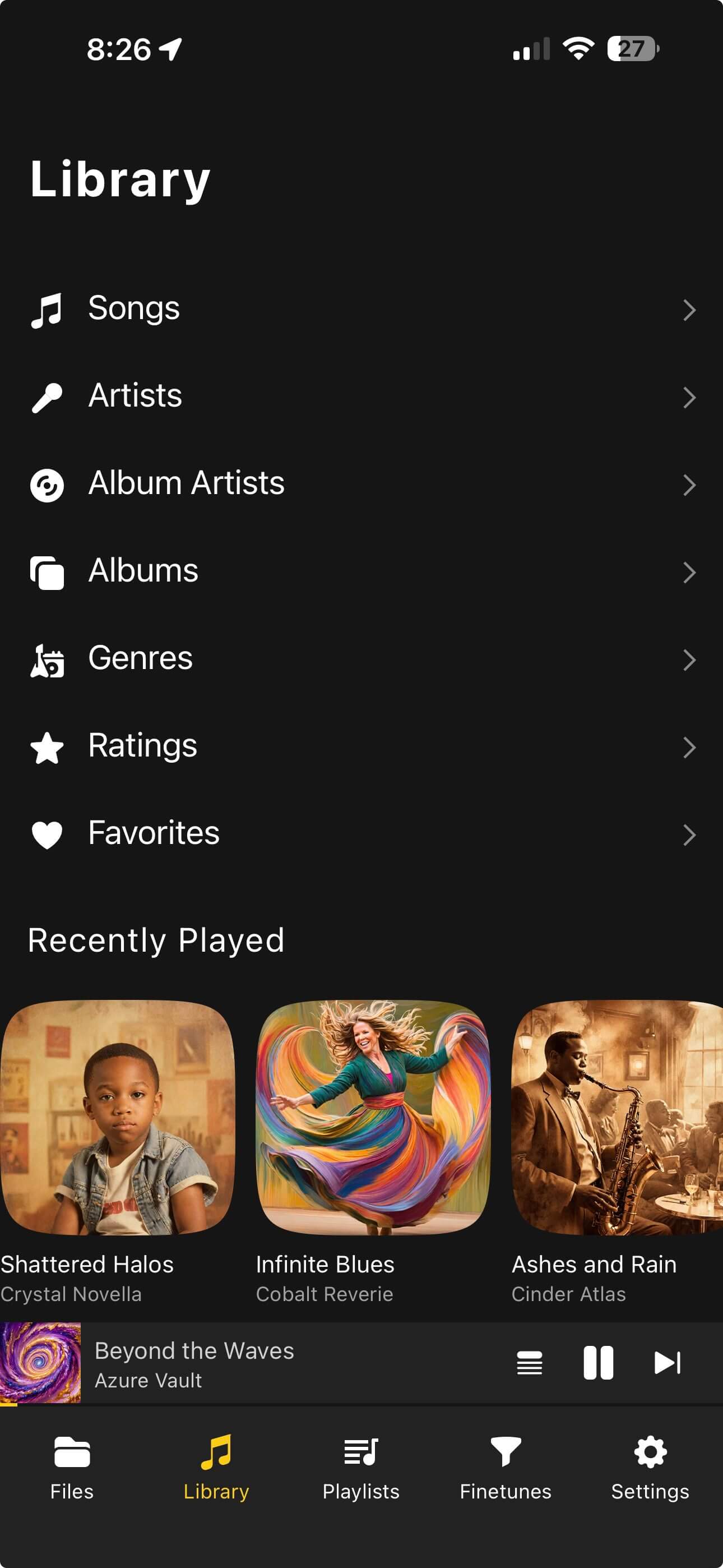
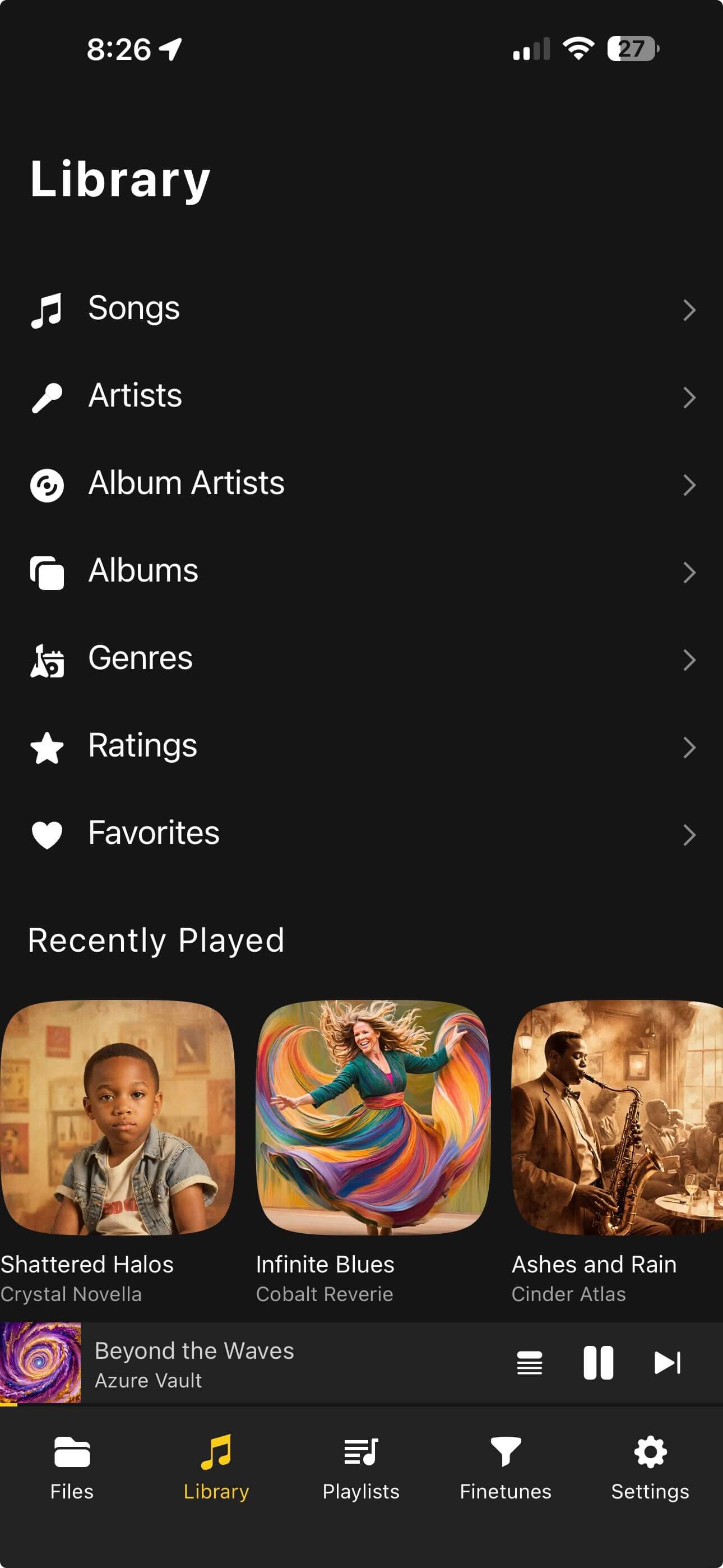
The ultimate offline music player. Organize with nested folders, create radio from one or multiple tracks with sonic analysis to hear similar music, sync lyrics in real-time, and edit metadata without a computer.

Looking for Musicolet for iOS or Symfonium for iOS? OfflineTunes brings that same power-user offline music player experience to iPhone and iPad.

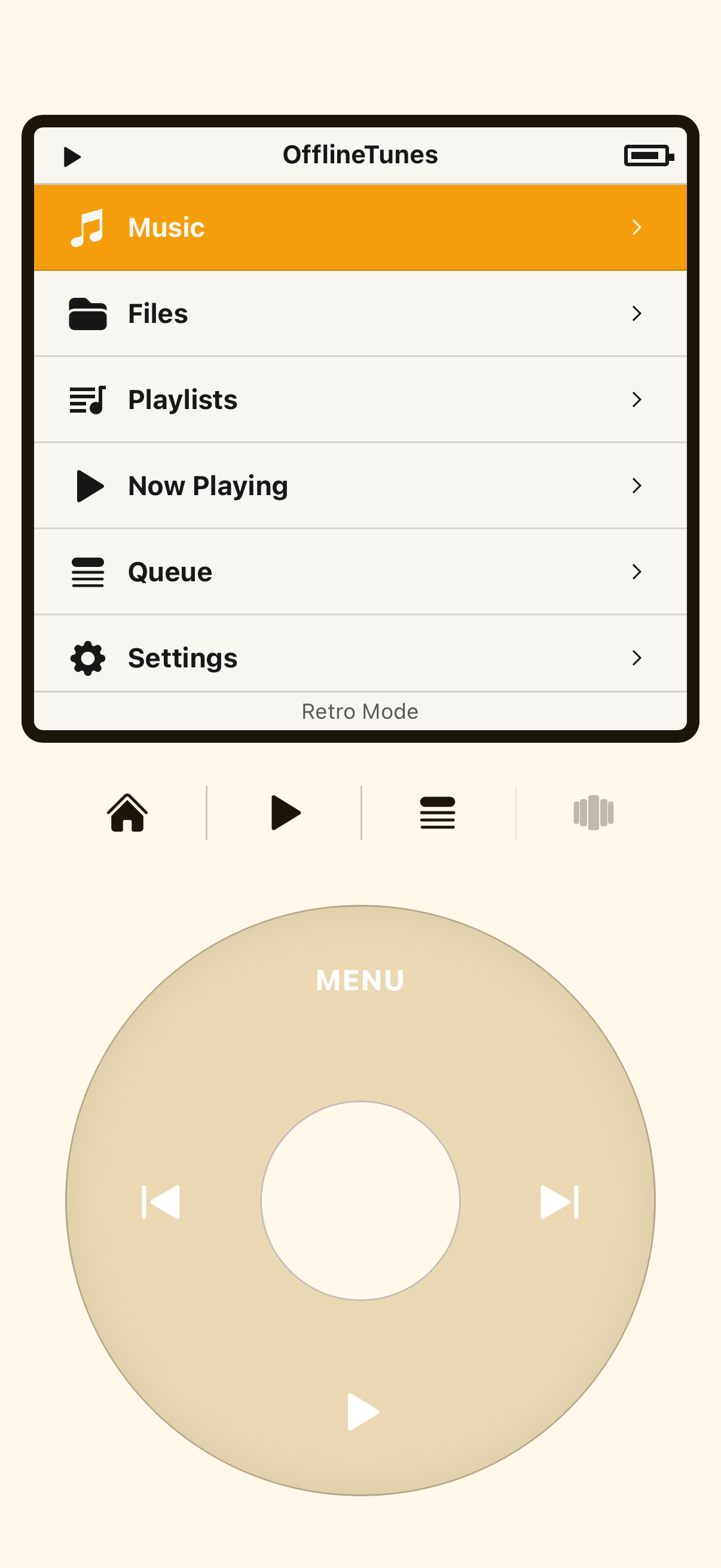
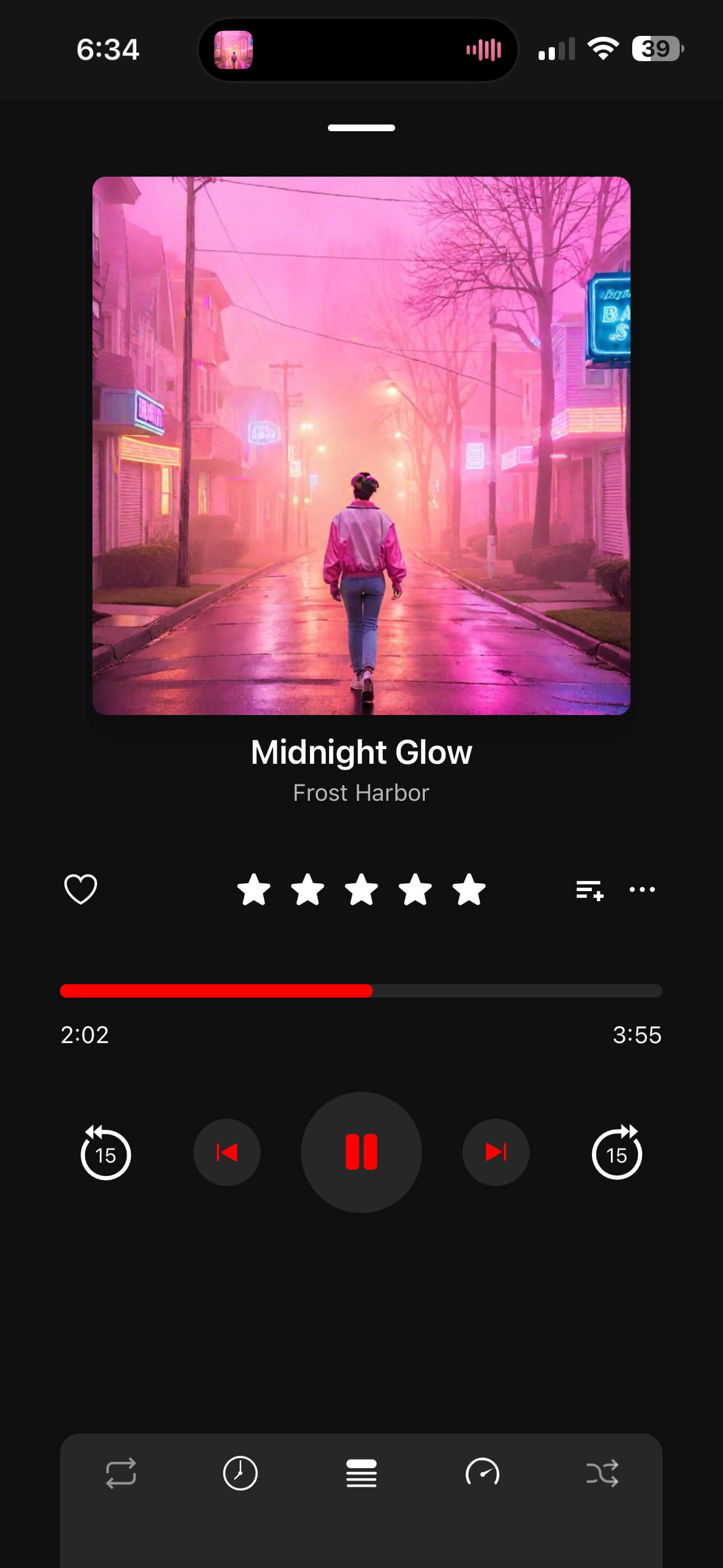
Offline Music Player Interface

Everything you need in a player

Powerful features designed for the true music collector.

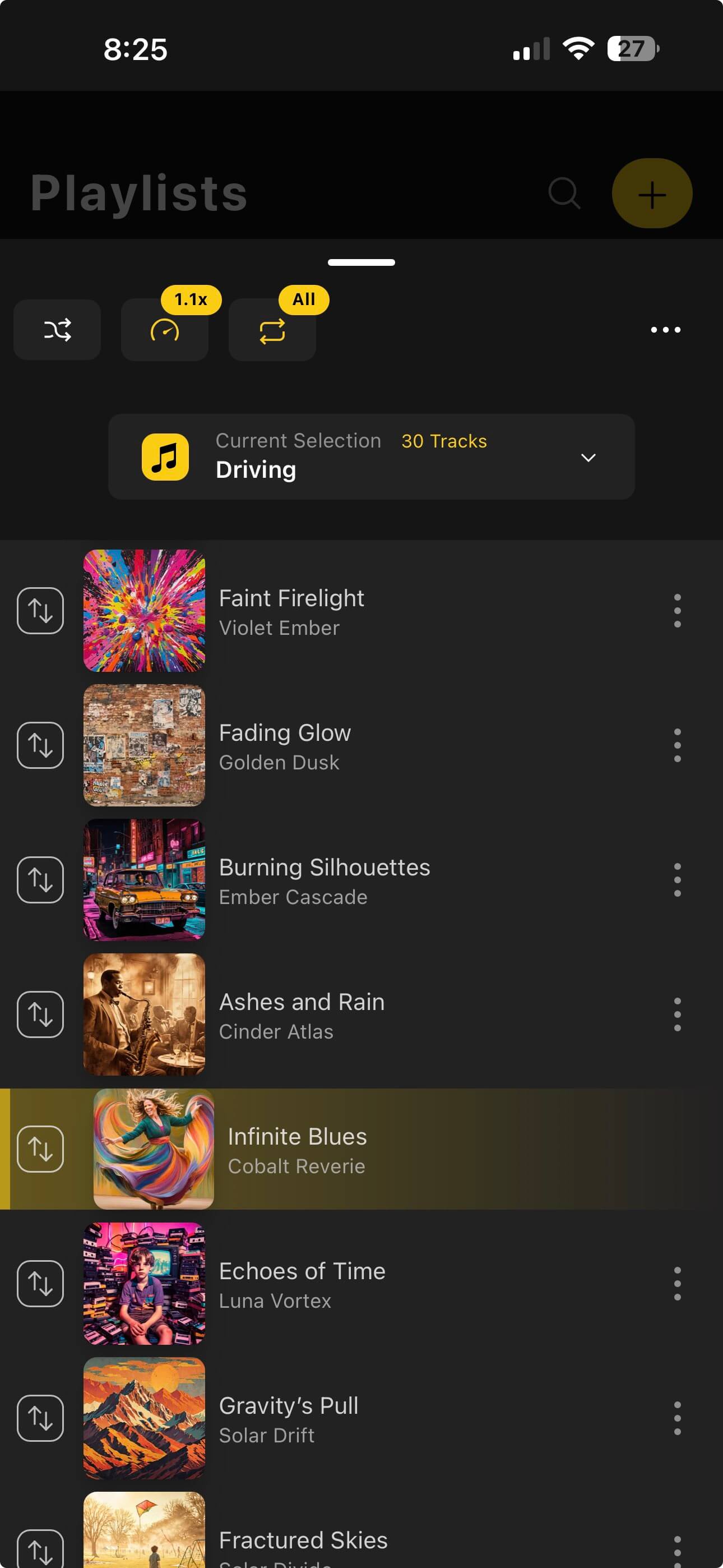
Playlist Folders

Playlist Folders

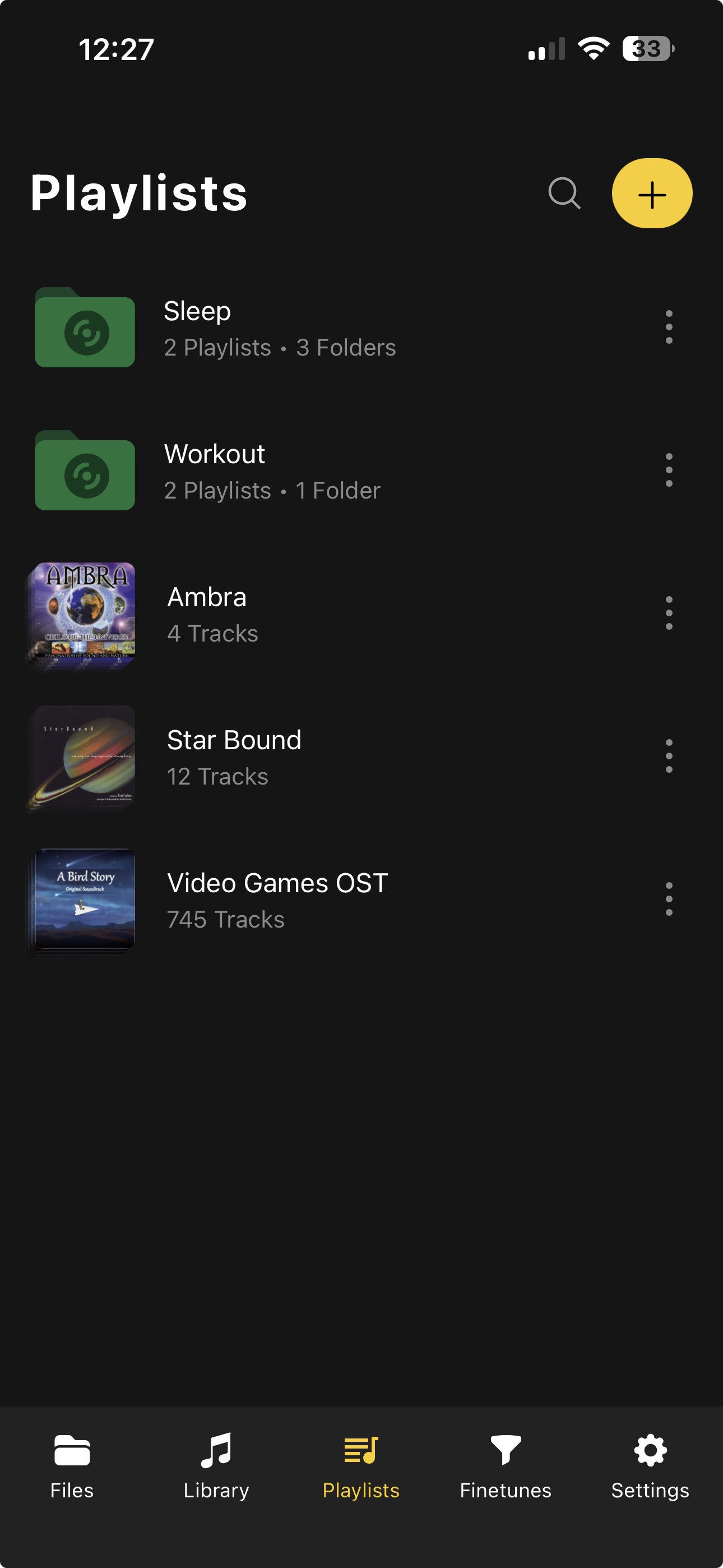
Finally, organization that makes sense. Create nested folders and play entire folder structures at once.

Custom Themes

Stunning Themes

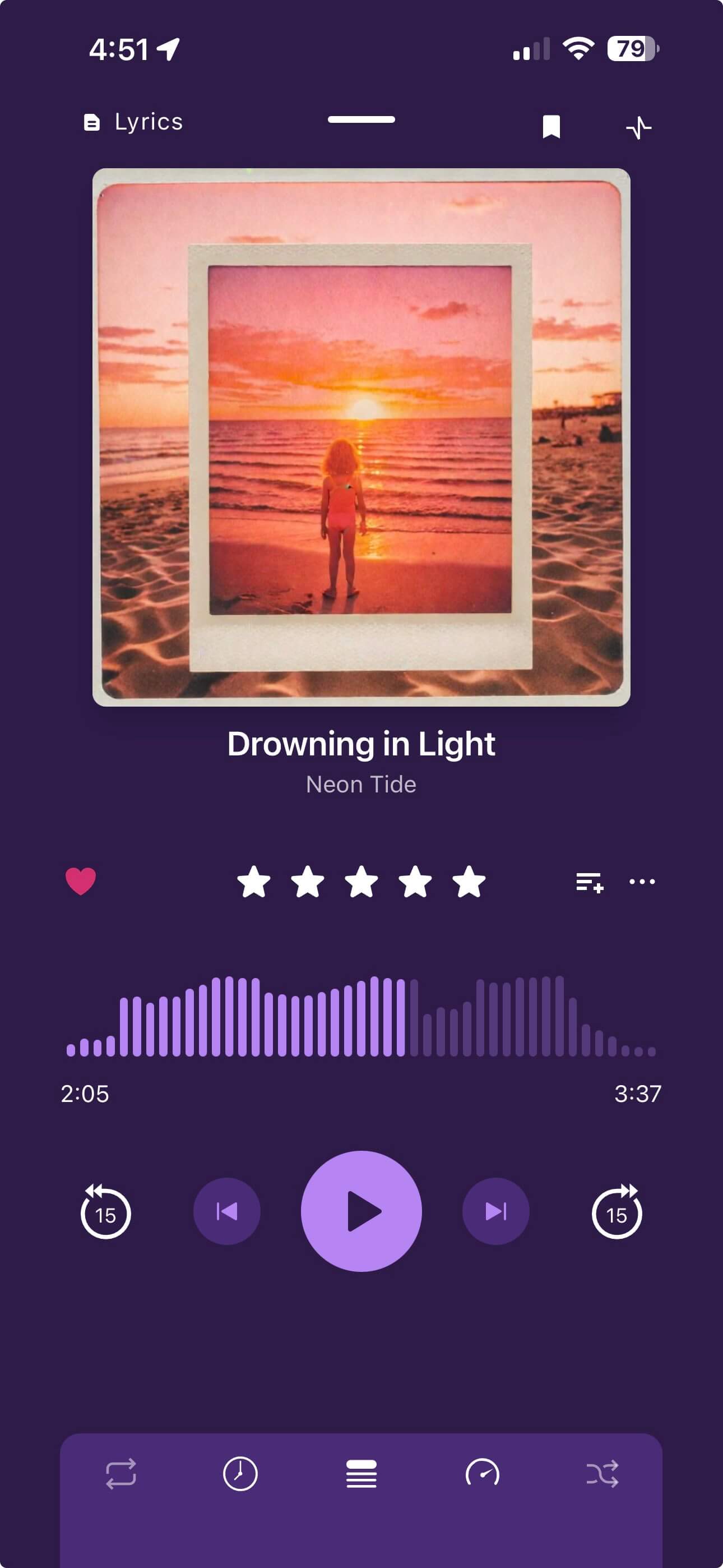
Make it yours with deep customization options, beautiful dark modes, and dynamic player themes.

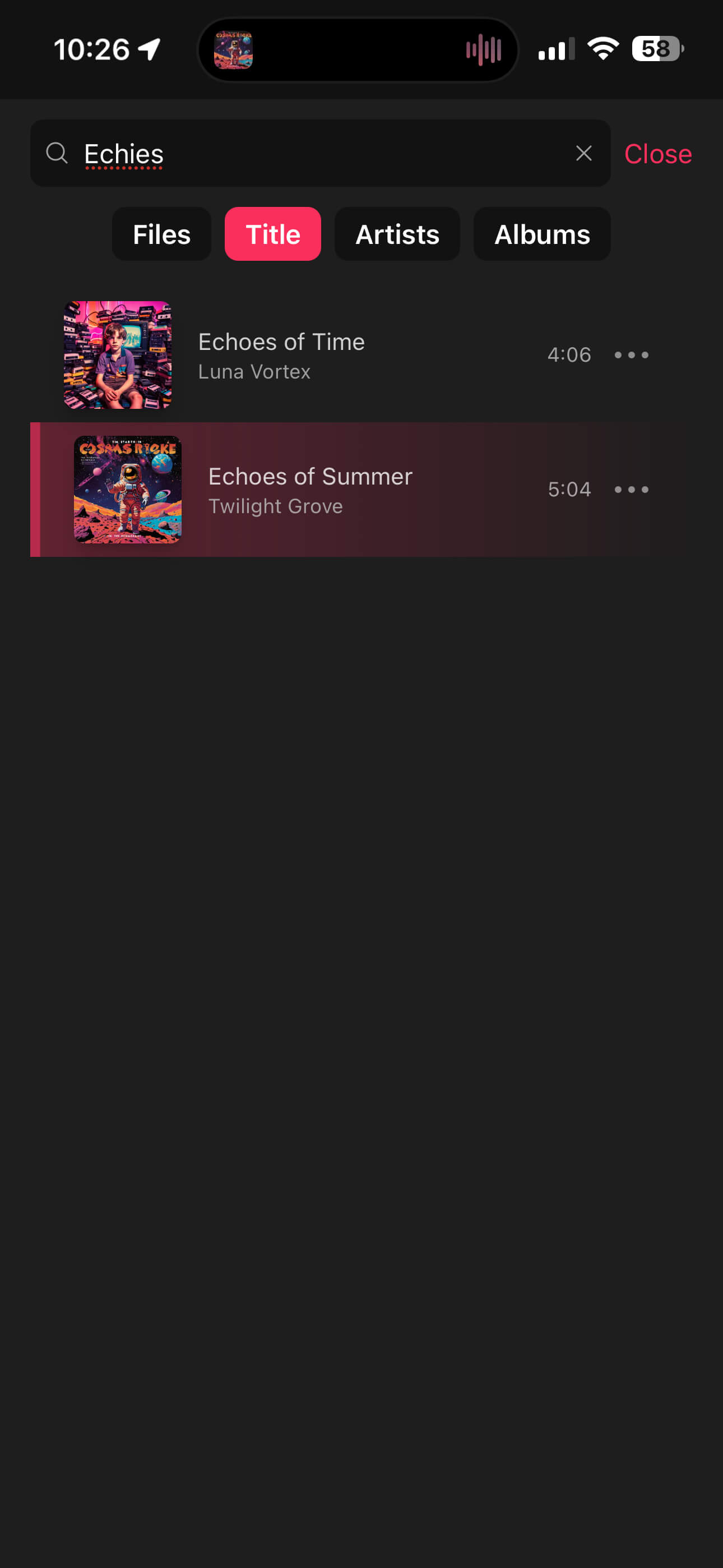
Powerful Search

Powerful Search

Instantly locate tracks by Title, Artist, or Album. Filter your library to find exactly what you want.

Track Radio and similar songs in your library

Track Radio

Start radio from one song or multiple tracks and keep listening with similar music pulled from your own library through sonic analysis.

Last.fm Logo inside phone frame
Last.fm + ListenBrainz

Scrobble without missing a beat

Show “Now Playing” in real time while you listen, and keep offline scrobbles safe when your connection drops. Everything syncs back up the moment you’re online again.

Real-time Now Playing
Offline Sync Backup
ListenBrainz Logo inside phone frame
Moods

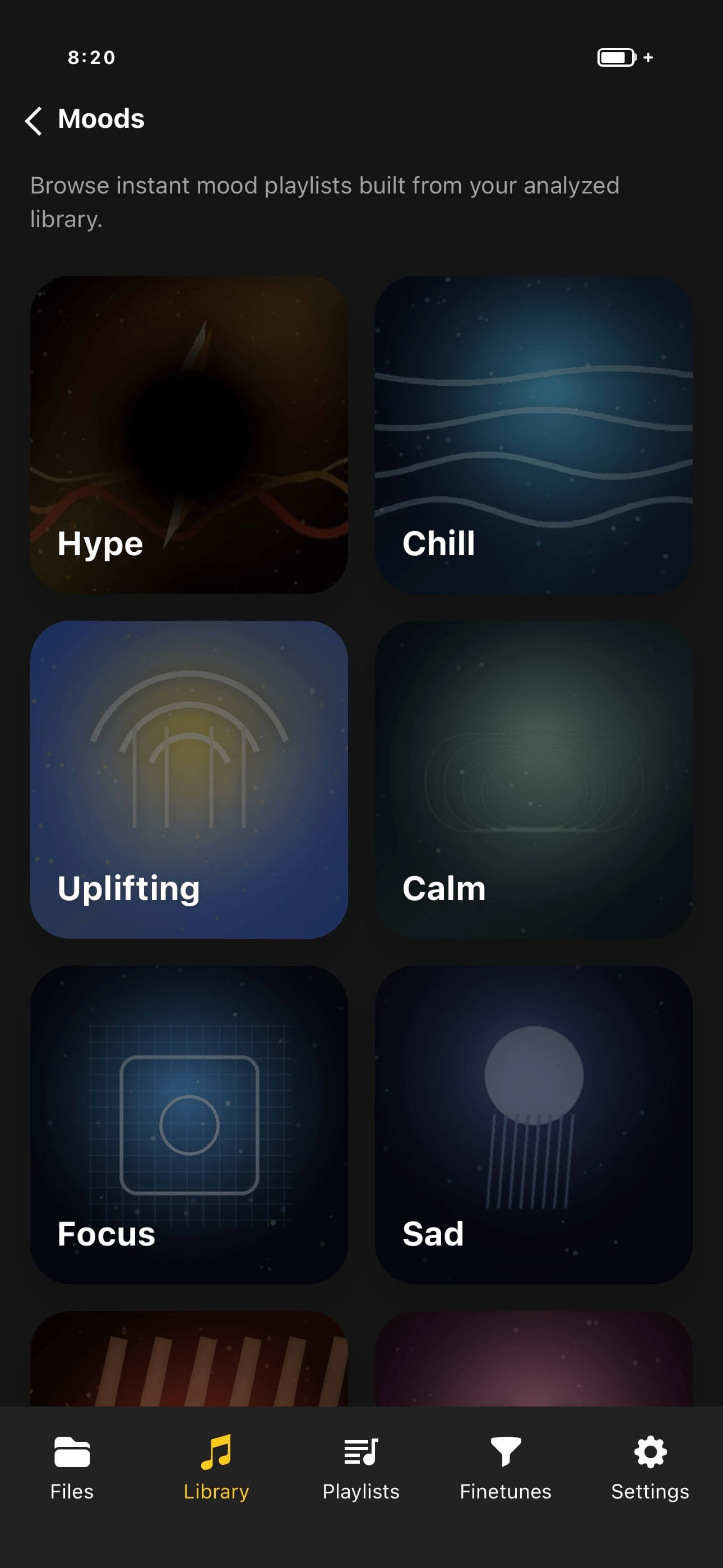
Browse your library by mood, not just metadata

OfflineTunes can build instant mood-based playlists from your own library using sonic analysis. Open categories like Hype, Chill, Focus, Sleep, Romantic, Dark, or Cinematic and get a living list of tracks that match the feel you want right now.

Mood categories that feel useful

Jump into Hype for workouts, Focus for deep work, Sleep for wind-down listening, or Chill for easy background playback.

Built from sonic analysis

Mood matching uses MFCC, BPM, key, Camelot, energy, danceability, brightness, spectral centroid, loudness, and related track analysis data.

Instant smart filtering

Refine each mood with favorites-only and rating filters so the list stays personal to your collection.

Works offline

Everything comes from your local library, so mood playlists still work without an internet connection or streaming service.

Mood-based music categories and instant mood playlists
Smart Lists

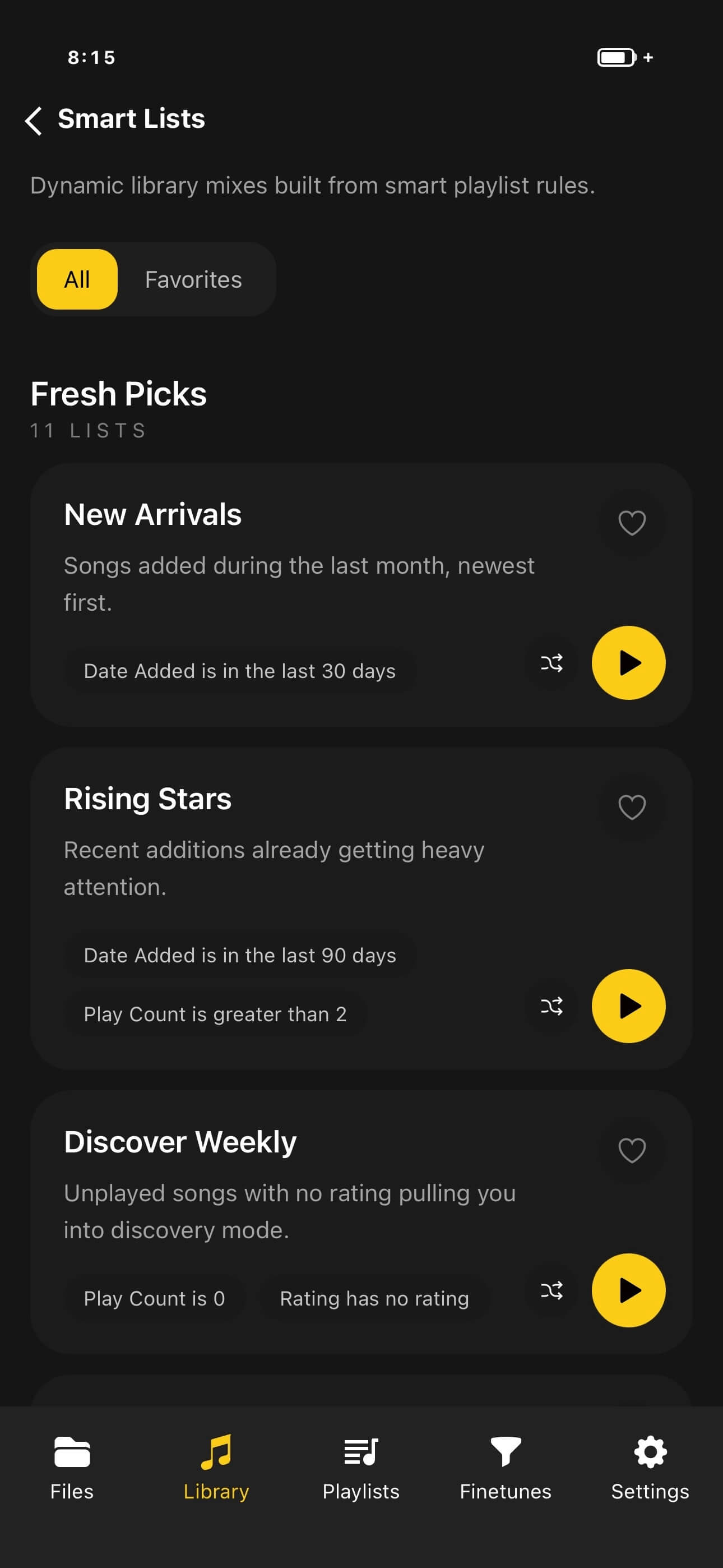
Over 100 smart list presets for instant playlist generation

Start with curated smart list presets, then fine tune the rules when you want more control. OfflineTunes can generate instant playlists for favorites, forgotten songs, top rated albums, no-skip runs, recent discoveries, and many more library patterns.

Popular Presets

  • Favorites you have not played recently
  • Top rated tracks with low skip counts
  • Recently added songs worth replaying
  • Forgotten tracks buried in a large library

Unique Preset Ideas

  • No-comment tracks that still need cleanup
  • Late-night low-skip favorites
  • Unrated imports that already have artwork
  • Album artist deep cuts you rarely reach manually

Why Smart Lists Matter

You do not have to build every smart playlist from scratch. Start with one of more than 100 presets, then adjust ratings, favorites, comments, dates, play counts, skips, genres, artists, albums, and other rules to match your library exactly.

Smart list presets and playlist builder mockup
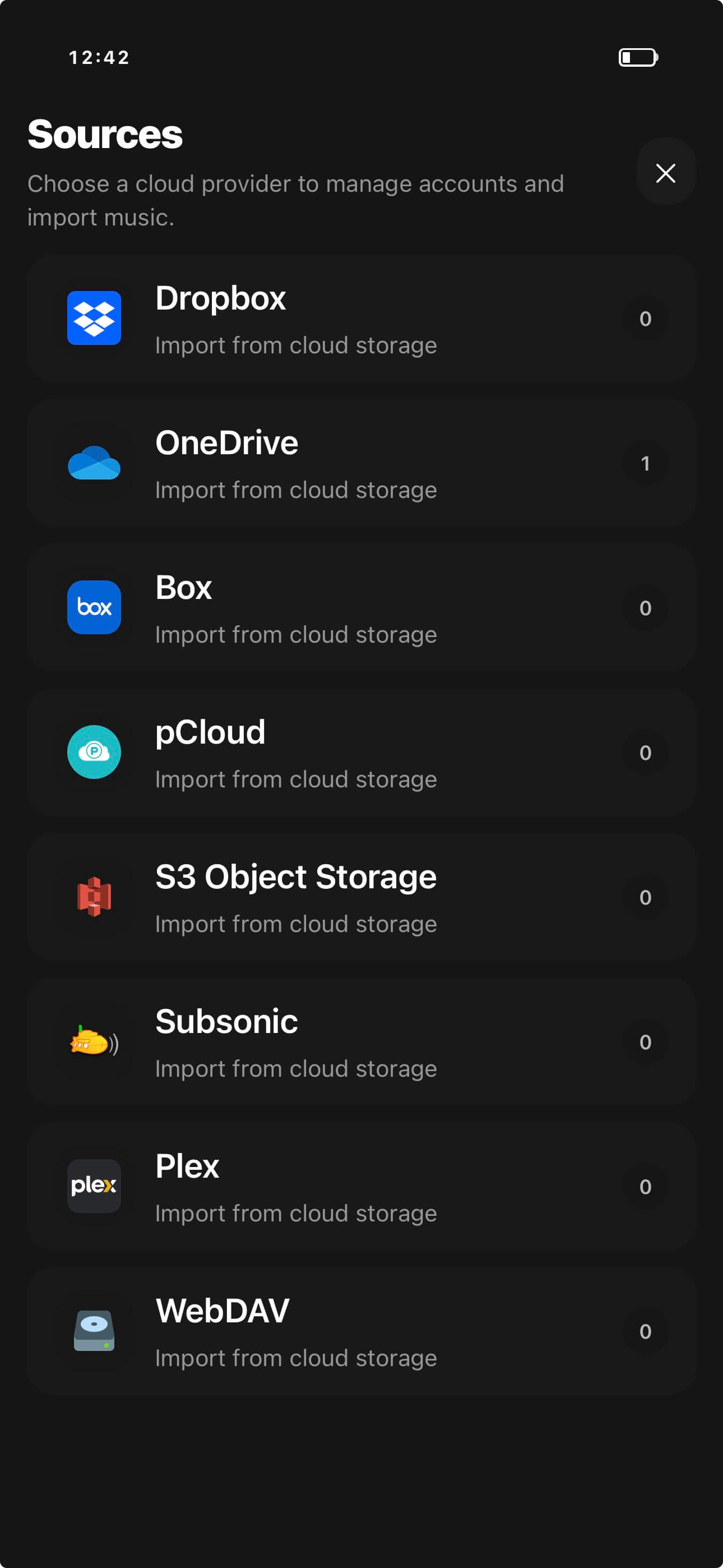
Cloud import accounts and provider browser
Cloud Integration

Import from every cloud account you use

Connect Dropbox, OneDrive, Box, WebDAV, Subsonic servers like Navidrome and Plex, and S3 or S3-compatible storage services, then import music directly into OfflineTunes without leaving the app.

Multi-account support

Save multiple accounts for the same provider with custom nicknames, then switch between personal, work, and shared music libraries in one place.

WebDAV compatible

Use WebDAV to connect services like Nextcloud, ownCloud, and other supported storage providers from the same import flow.

New Visualizer

Turn Every Track Into a Live Show

Launch the built-in visualizer to experience your music as vivid, animated art. Choose presets, go fullscreen, or let it auto-cycle while you listen.

Preset Library

Browse hundreds of milkdrop presets to choose from.

Fullscreen Mode

Immerse yourself with a full-screen visualizer that reacts to every beat.

Auto Cycle

Let the visuals evolve automatically with smooth transitions.

Visualizer in Player

Open it right from the player without interrupting playback.

Precision Audio

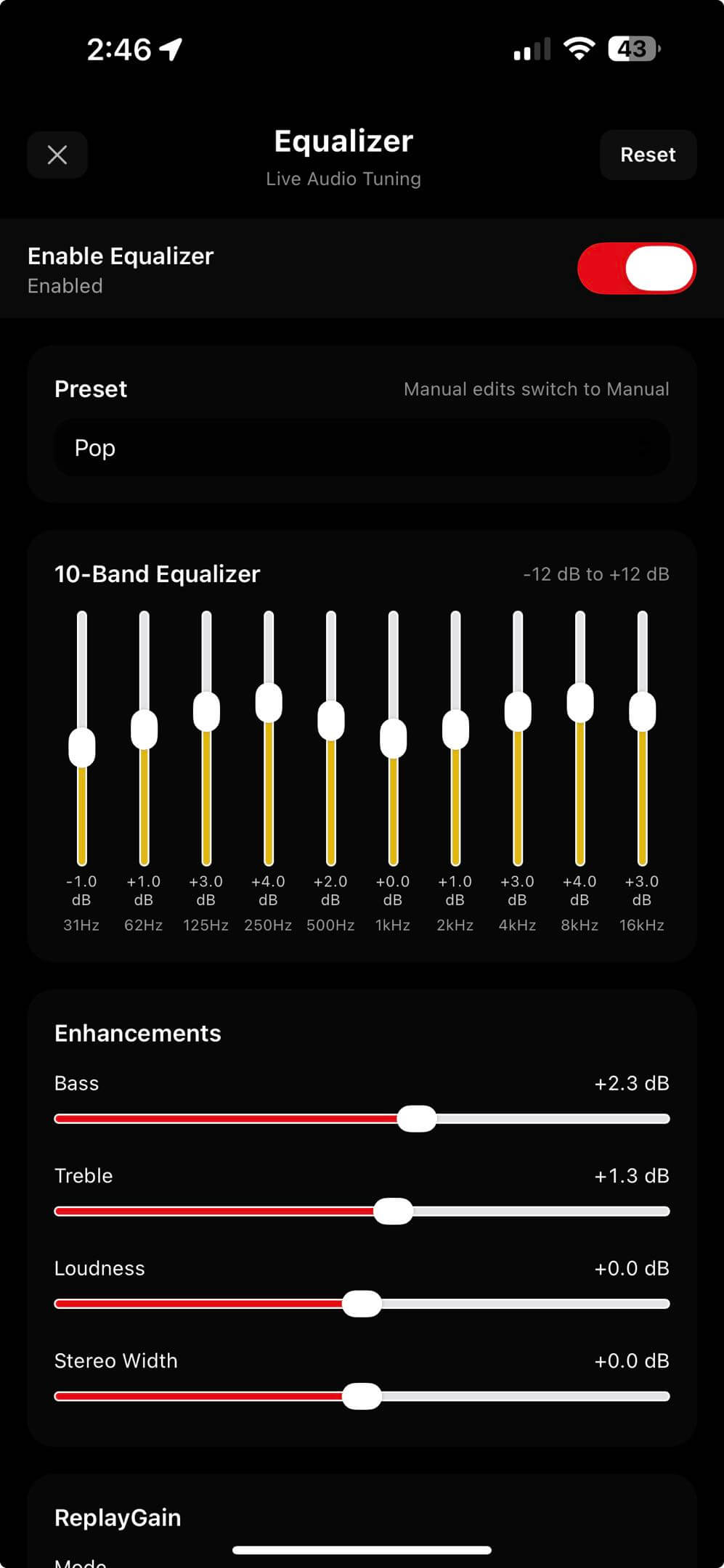
Powerful Equalizer and Tone Control

Shape your sound with a full multiband EQ, quick presets, and loudness control. Keep the sound consistent with ReplayGain and preamp controls, then add depth with 3D spatial audio presets.

  • Multiband EQ with manual per-band gain control
  • Built-in presets plus manual custom tuning
  • ReplayGain modes (off, track, album) with adjustable preamp
  • 3D spatial audio with subtle, wide, and room presets
Equalizer and sound controls
Drive Mode
Smart Curation

Drive Smarter,
Listen Better.

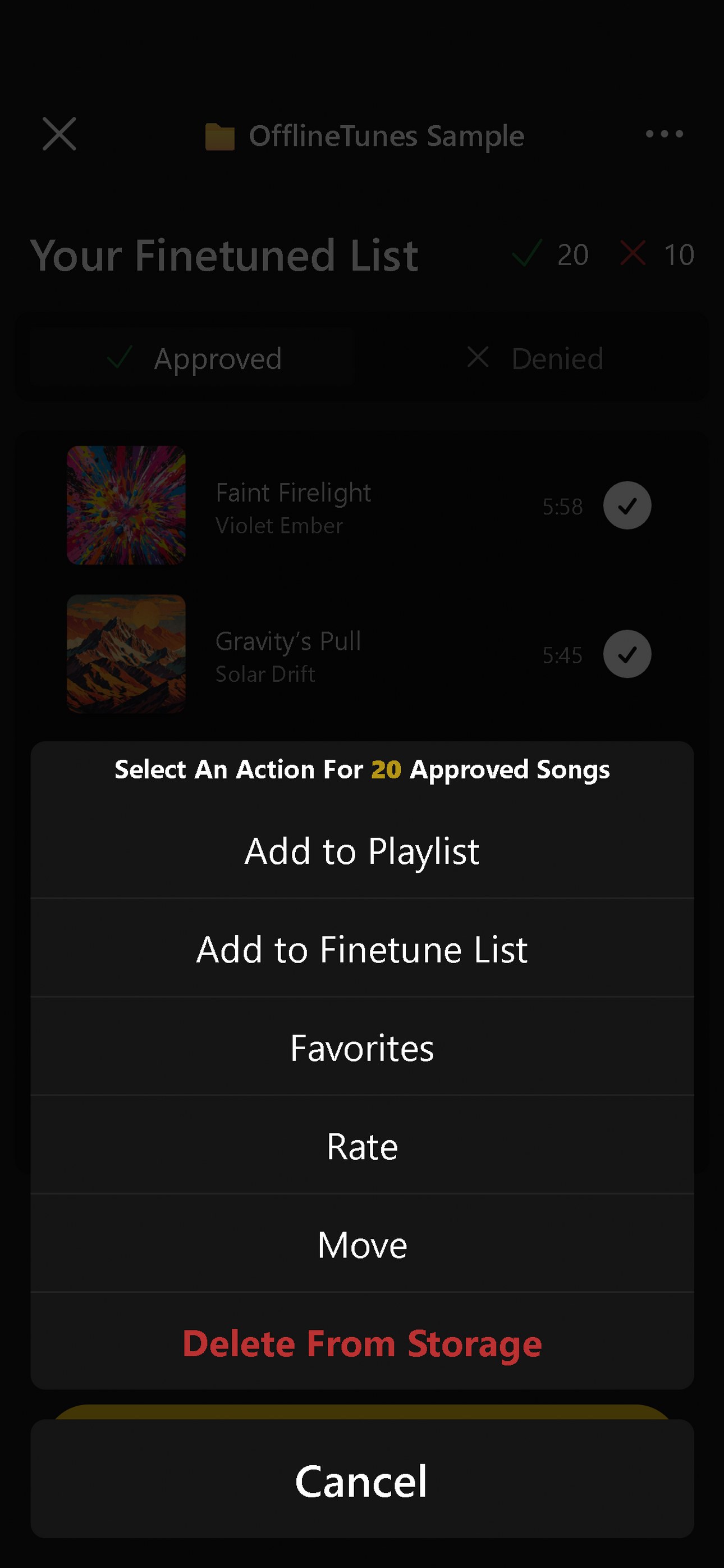
Turn your steering wheel or Bluetooth controls into a powerful playlist builder. Safely curate your road trip playlist without looking at the screen.

  • Next Track: Approve song
  • Previous Track: Deny song
Library Management

Clean Up Your Collection.

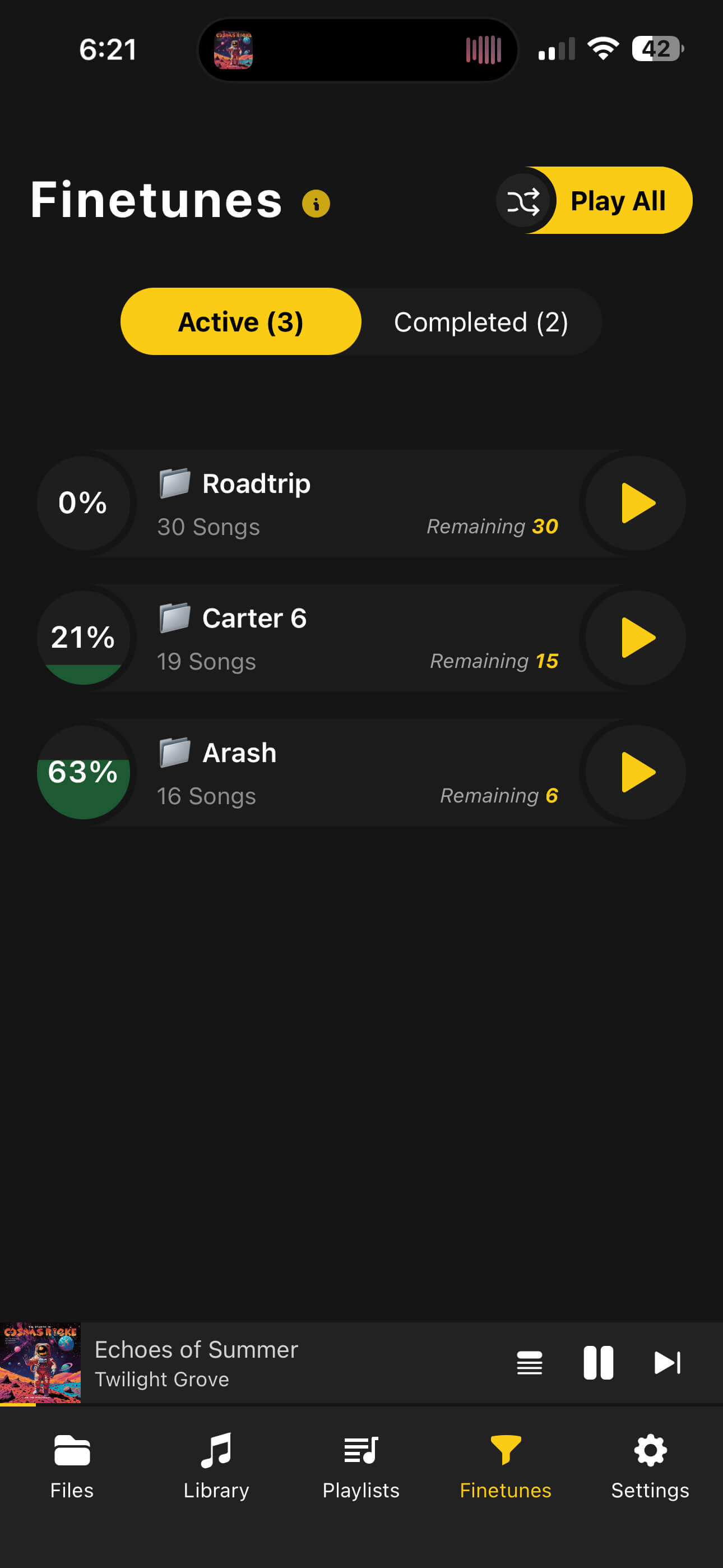
Finetune mode helps you sort through massive music libraries with ease. Quickly sort active playlists from completed ones and ensure every song on your phone is a hit.

Fine Tune Mode
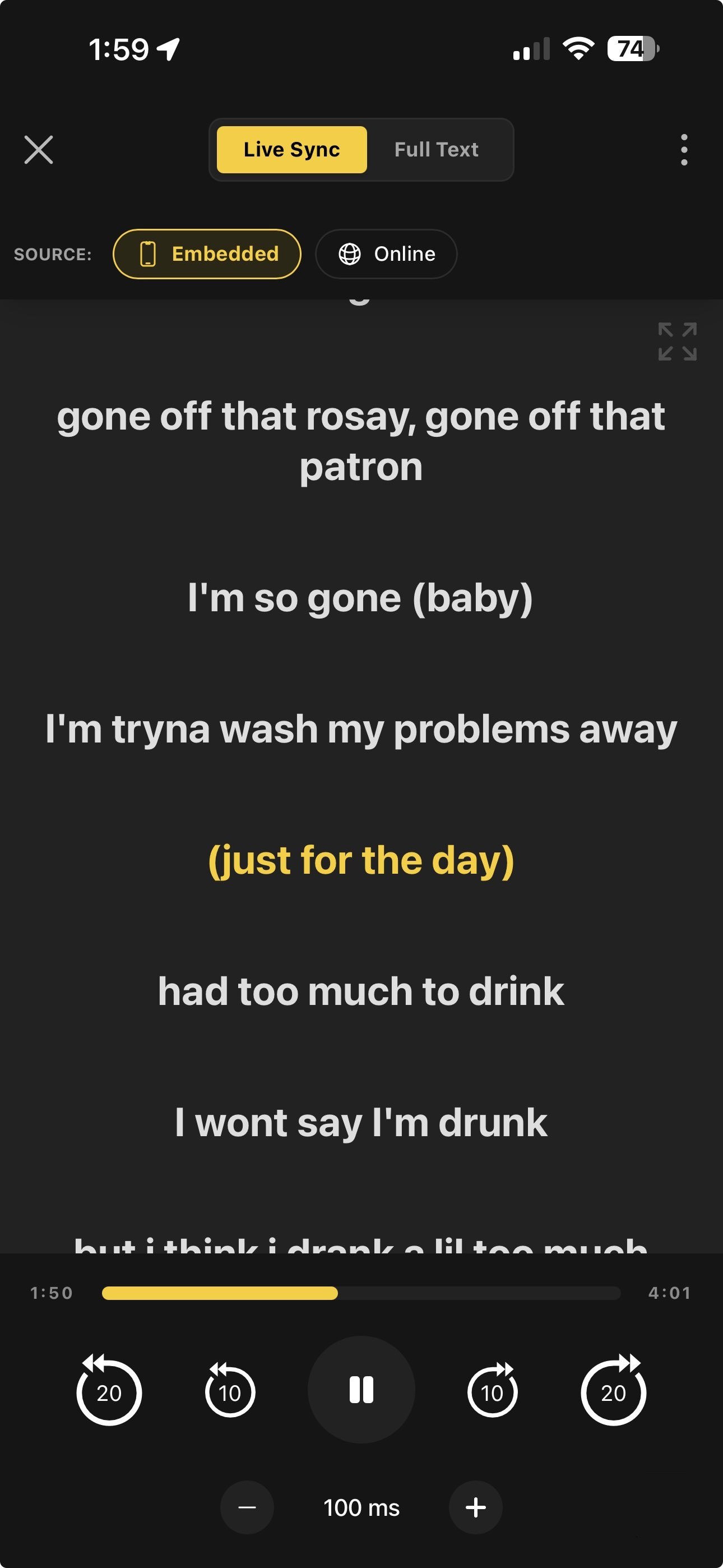
Smart Lyrics Display
Live Synchronization

Smart Lyrics Display

Experience your music like never before. Find lyrics online, embed them directly into your audio files, or use existing embedded lyrics, and enjoy a perfectly time-synced karaoke experience.

Find & Embed

Automatically search for lyrics online and embed them to the song file for permanent offline access.

Precision Sync Controls

Fine-tune lyric timing with millisecond offset controls to ensure every word matches the beat.

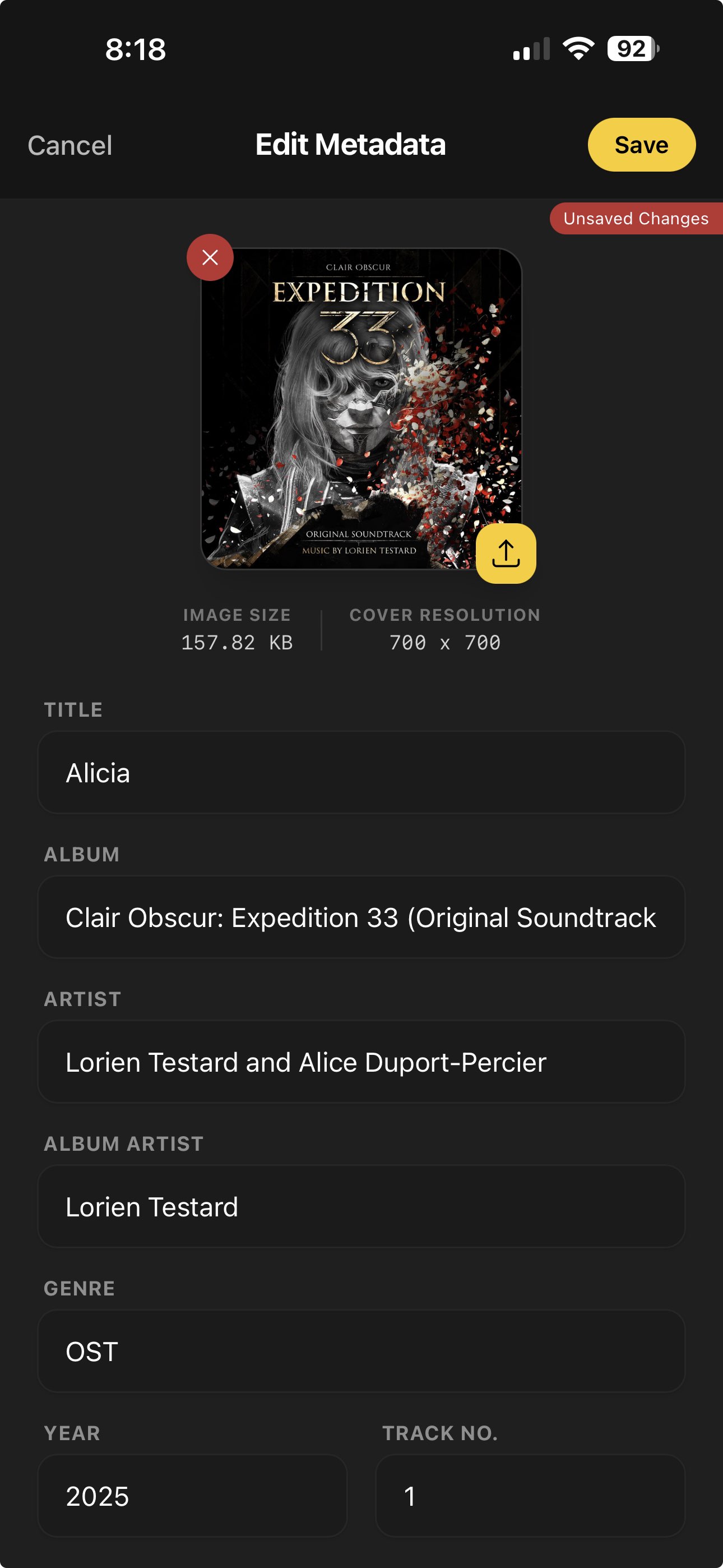
Tag Editor

Bulk Metadata Editing

Your library, organized your way. Fix missing album artwork, correct artist names, and update genre tags for multiple tracks at once—no computer needed.

  • Bulk edit Artist, Album, and Genre tags
  • Update High-Res Album Artwork
  • Full ID3 Tag Support
Bulk Metadata Editor
Track radio that plays similar songs from your offline music library
Track Radio

Create radio from one song or multiple tracks

OfflineTunes uses sonic analysis so you can start a song radio from a single track or build a radio mix from multiple songs. It finds similar music in your own collection and turns it into an instant offline listening session.

Single-track radio

Pick one song and play a queue of similar songs based on the sound and feel of that track.

Multi-track radio

Choose multiple tracks to blend their taste together and create a wider radio mix that still stays close to your library.

Similar songs from your library

Use your local files to discover related songs, hidden favorites, and smooth follow-up tracks without streaming.

Built for offline listening

Keep the radio going anywhere with no internet connection and no dependency on a cloud music service.

What Track Radio analyzes

Track Radio uses sonic analysis data from your library, including MFCC timbre fingerprints, BPM, key, Camelot, danceability, energy, intro energy, drop energy, brightness, spectral centroid, and loudness.

Playback flow controls
Playback Flow

Smooth Transitions Between Tracks

Control how songs move from one to the next using automix, crossfade, gapless playback, and skip silence. Pick the behavior you want for each listening session.

Automix

Automatically advances near track end for seamless queue flow.

Crossfade

Set fade duration and choose curve type for smooth overlaps.

Gapless

Removes pauses between tracks for uninterrupted playback.

Skip Silence

Skips silent sections so spoken content and mixes stay tight.

Bit Perfect Playback

Preserves the original audio signal for accurate, unaltered listening.

Spatial Audio & 3D Sound

Add depth and width with immersive spatial processing and 3D sound presets.

Bookmarks

Bookmarks & A-B Loop

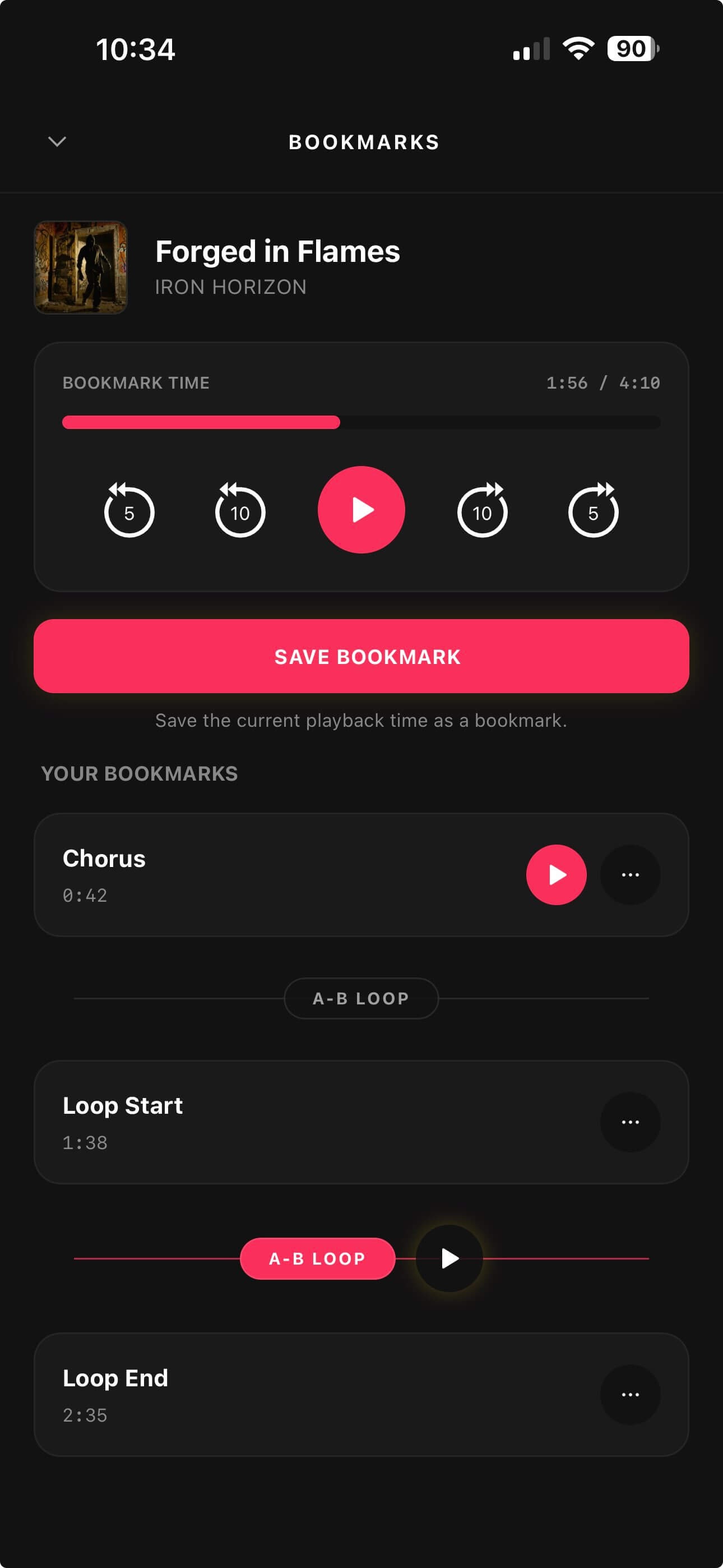
Save key moments and link two bookmarks to loop any section instantly.

  • Name and organize bookmarks in seconds
  • Tap A-B Loop to connect adjacent bookmarks
  • One-tap loop playback for practice and repeat
Bookmarks and A-B Loop

Import Your Music Easily

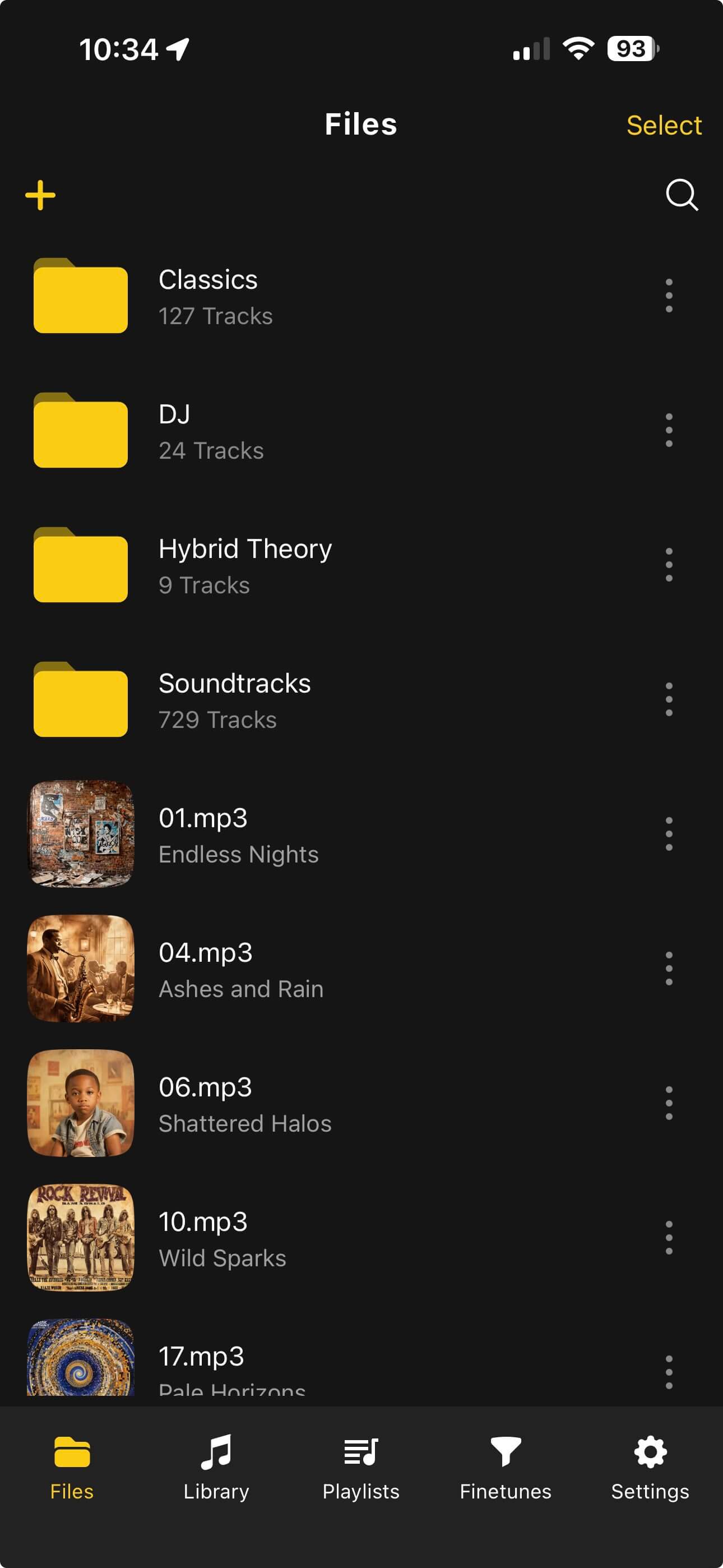
Add songs via Files app, Wi-Fi transfer, or iTunes File Sharing. No complicated syncs required.

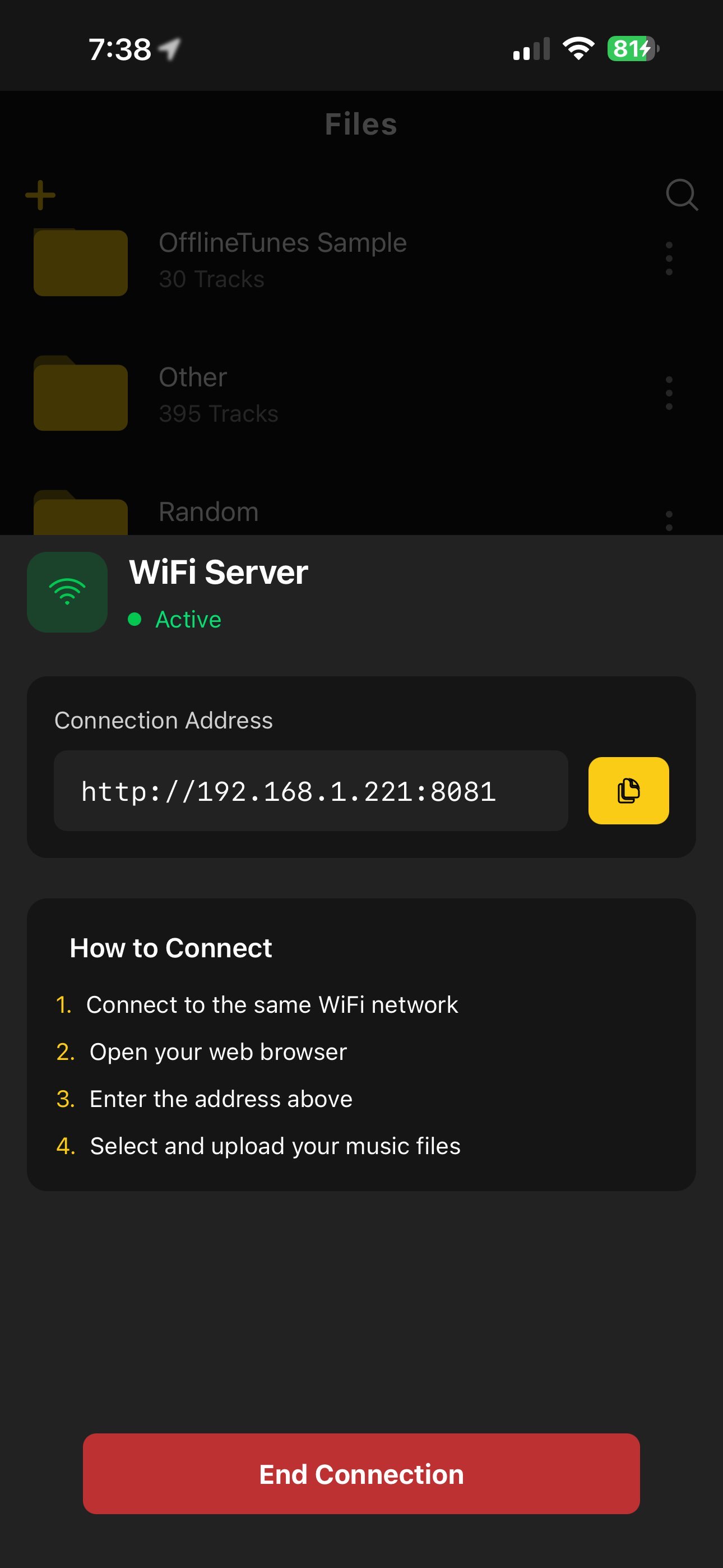
WiFi Import

Wi-Fi Server Built-In

Simply turn on the Wi-Fi server in the app, type the address into your computer browser, and upload your music files and folders directly to your phone with full nested folder support.

Supports MP3, FLAC, M4A, OGG, Opus, WAV, WMA, AAC, OGA, WebM
Upload folders with nested folders
Library Workflow

Import, Process, and Convert in One Flow

Bring in your iTunes and Apple Music local tracks, edit the audio, and export in the format you need without leaving OfflineTunes.

Import iTunes

Import local iTunes and Apple Music files with metadata, artwork, ratings, and playlist structure.

  • Preserve tags and cover art
  • Keep playlist relationships
  • Skip files that already exist

Process Tracks

Trim and fine tune audio before saving, with live preview and flexible output controls.

  • Trim start and end points
  • Adjust speed, pitch, gain, and EQ
  • Save as new or overwrite original

File Format Convert

Convert tracks to the format your library needs with quality and metadata options.

  • MP3, AAC, WAV, FLAC, OGG, OPUS, M4A, AIFF, ALAC
  • Choose bitrate and keep artwork/tags
  • Batch and single-track convert tools

In-App Browser Import

Browse to any site where audio files or ZIP archives can be downloaded, then import them directly into OfflineTunes.

  • Download songs directly from supported sources
  • Import audio files without leaving the app
  • Grab ZIP files and extract tracks into your library

Complete Control

Queue Management

Smart Multi Queue

Create Separate Queues For Every Mood

Full Library Access

Full Library

Tag-based browsing

Local File Access

Local Files

Direct Access

Offline Capabilities

Offline First

No Data Needed

Ready to take your music offline?

Clean up your music collection with Finetune mode and take control of your library.

Download on the App Store

Import iTunes and Apple Music Library to OfflineTunes

OfflineTunes includes a premium Apple Music and iTunes import workflow for migrating your local music library into OfflineTunes. Import tracks with metadata, extract cover art, preserve ratings, and keep playlist relationships while skipping files that already exist.

This offline music player also includes advanced playback controls, background playback, track radio, multi-track radio, over 100 smart list presets, sonic analysis, and library tools for collectors and power users who want full control over their local music files on iOS.

  • Playback speed control for music, podcasts, and audiobooks
  • Sleep timer to stop playback automatically
  • Loop modes including repeat one and repeat all
  • Shuffle playback for large offline libraries
  • Track radio for playing similar songs from your library
  • Multi-track radio for blending similar music from multiple songs
  • Over 100 smart list presets for instant playlist generation
  • Sonic analysis using MFCC, BPM, key, Camelot, energy, danceability, brightness, spectral centroid, and loudness
  • Rate tracks and manage favorites
  • Bulk metadata editing with album art support